Real estate video editing comes down to five decisions: which shots, in what order, how long each stays on screen, what music sits under them, and how you export for each platform. For a listing video, that means 10 to 15 shots at 2 to 4 seconds each, a walk-through order that opens on the best exterior, hard cuts on the beat, licensed music and a 1080 x 1920 vertical export. Build that once as a template and every listing after it becomes a short job instead of a weekend project.
VidListings makes a listing video tool, mentioned below. We've tried to keep this guide useful whether or not you use it.
The real estate video editing workflow in 7 steps
- Cull to 10 to 15 shots. Drop near-duplicates and anything soft, crooked or cluttered.
- Order them as a walk-through: outside, in, the main rooms, back outside.
- Fix verticals, color, exposure and shaky clips.
- Cut to music on the beat, 2 to 4 seconds per shot.
- Add text inside the safe zone: address, price, beds and baths.
- Brand the last shot with your agent card.
- Export a vertical master, then square and wide versions.
What order should listing video shots go in?
Follow the path a buyer takes on a showing. It's easy to follow on a phone, and it saves the outdoor space for the end, under your contact card.
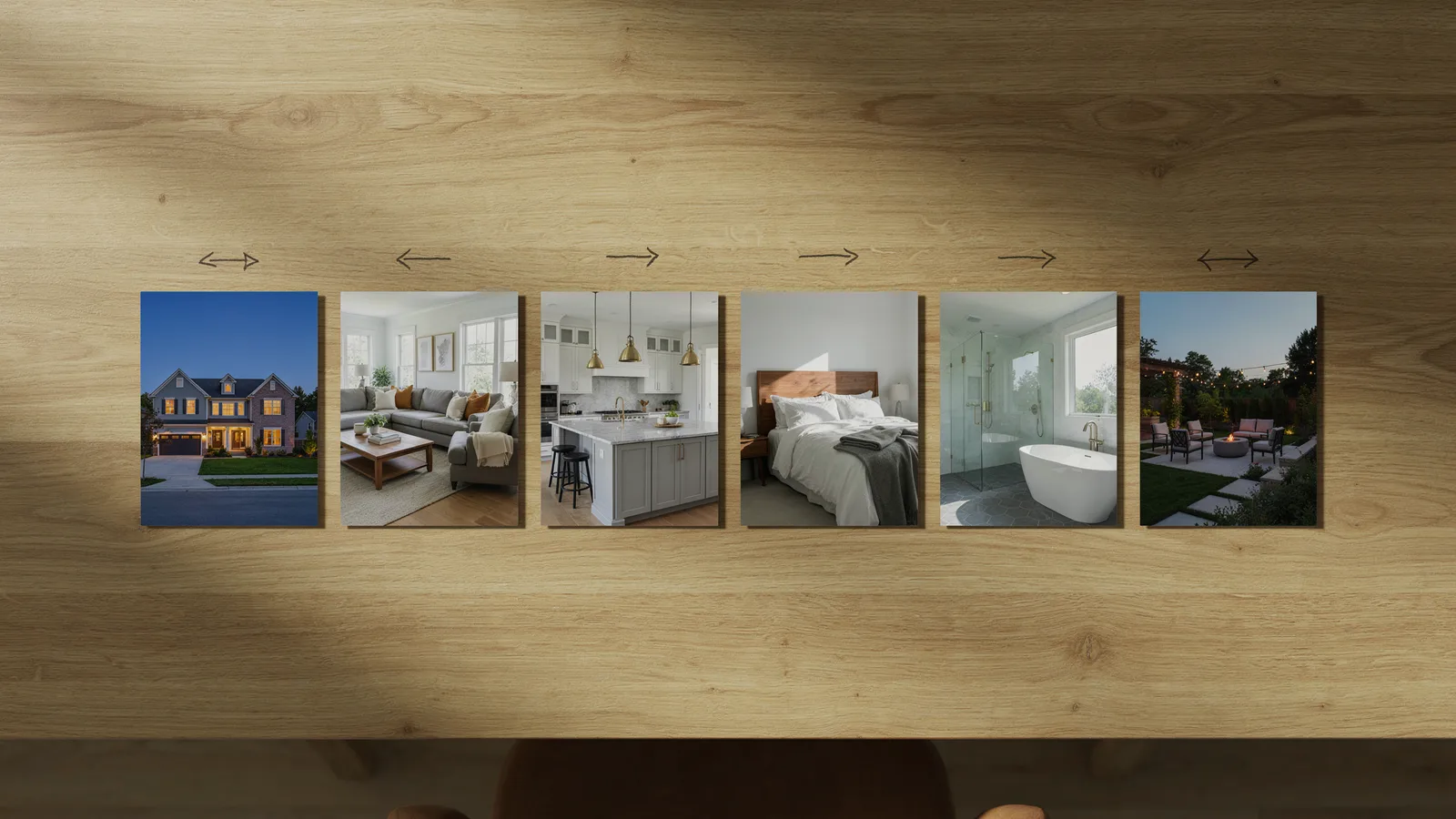
| # | Shot | Seconds | On-screen text | Why it's here |
|---|---|---|---|---|
| 1 | Exterior hero, best light | 3 | Address | The hook |
| 2 | Entry or best interior view | 2 to 3 | Price | Pulls viewers inside |
| 3 | Living room | 3 | Beds, baths, sq ft | Space and light |
| 4 | Kitchen, wide | 3 | Layout and finishes | |
| 5 | Kitchen detail or dining | 2 | Only if it adds something | |
| 6 | Primary bedroom | 3 | Size and windows | |
| 7 | Primary bath | 2 to 3 | Finishes | |
| 8 | Secondary bedroom or office | 2 | Optional | |
| 9 | Yard, patio, pool or view | 3 to 4 | A strong closer | |
| 10 | Exterior again or best shot | 3 to 4 | Agent card | Holds your contact details |
That's about 26 to 30 seconds. Skip laundry rooms, hallways and plain garages unless they're a feature. For where to post the finished cut, see our listing video playbook for Reels, TikTok and YouTube.
How fast should you cut a real estate video?
Keep most shots on screen for 2 to 4 seconds. In our experience, under 2 seconds and viewers can't take in a room; past 5 seconds a still-looking room starts to drag. Give the longest holds to the hero exterior, the kitchen and the outdoor shot.
Cut on the beat
In 4/4 time, one bar of music lasts 240 divided by the tempo in beats per minute. Cutting on bar lines makes even a simple edit feel deliberate.
| Tempo | Shot length, cutting every bar | Shot length, cutting every 2 bars |
|---|---|---|
| 90 BPM | 2.7 s | 5.3 s |
| 100 BPM | 2.4 s | 4.8 s |
| 110 BPM | 2.2 s | 4.4 s |
| 120 BPM | 2.0 s | 4.0 s |
| 128 BPM | 1.9 s | 3.8 s |
At 120 BPM, one-bar cuts give you 2-second shots and two-bar cuts give you 4-second shots, which is exactly the range you want. Use two-bar holds for hero shots and one-bar cuts for supporting rooms.
Use hard cuts, not transitions
Straight cuts look professional. Spins, page curls and glitch effects make a home look cheap. The one place a short crossfade helps is into the agent card.
Keep every shot moving
A photo that sits still for 3 seconds reads as a slideshow. Add a slow push or slide to photos, and trim clips to the smoothest part of the move. Our guide to AI real estate videos compares ways to add motion without changing the rooms.
How do you make every shot match?
Fix these before you add text or music.
Color and exposure
- Match white balance across rooms. In our experience, a warm living room cut against a blue kitchen is the most common sign of a rushed edit.
- Apply one look to everything, using an adjustment layer in Premiere Pro or a shared grade in DaVinci Resolve, then fix outliers one at a time.
- Watch the windows. If one room has blown-out white windows and the next shows the view, the cut jumps.
- Keep the time of day consistent. If the hero is a twilight exterior, close on twilight too, not a midday shot of the same front.
Straight verticals
Wall edges, door frames and cabinets should run straight up and down. Leaning lines make rooms look like they're tipping. Fix photos before you edit, with a perspective or upright tool, and use your editor's transform controls for video clips.
Under California's AB 723, straightening, cropping, exposure and color correction don't make an image "digitally altered"; adding or removing furniture, fixtures or views does (SDMLS AB 723 FAQ). Our virtual staging guide covers labeling.
Stabilization
Stabilize handheld or gimbal footage at low strength (Warp Stabilizer in Premiere Pro, or the stabilizer in DaVinci Resolve or CapCut). Low settings crop less and avoid rubbery warping. If a clip still wobbles, cut it.
How to add text overlays and agent branding
Vertical apps cover parts of the frame with the account name, caption and buttons. Meta's Instagram Reels ad specifications recommend leaving at least 14% of the top, 35% of the bottom and 6% of each side free of text, logos and other key elements. On a 1080 x 1920 frame, that's about 270 pixels at the top, 670 at the bottom and 65 on each side.
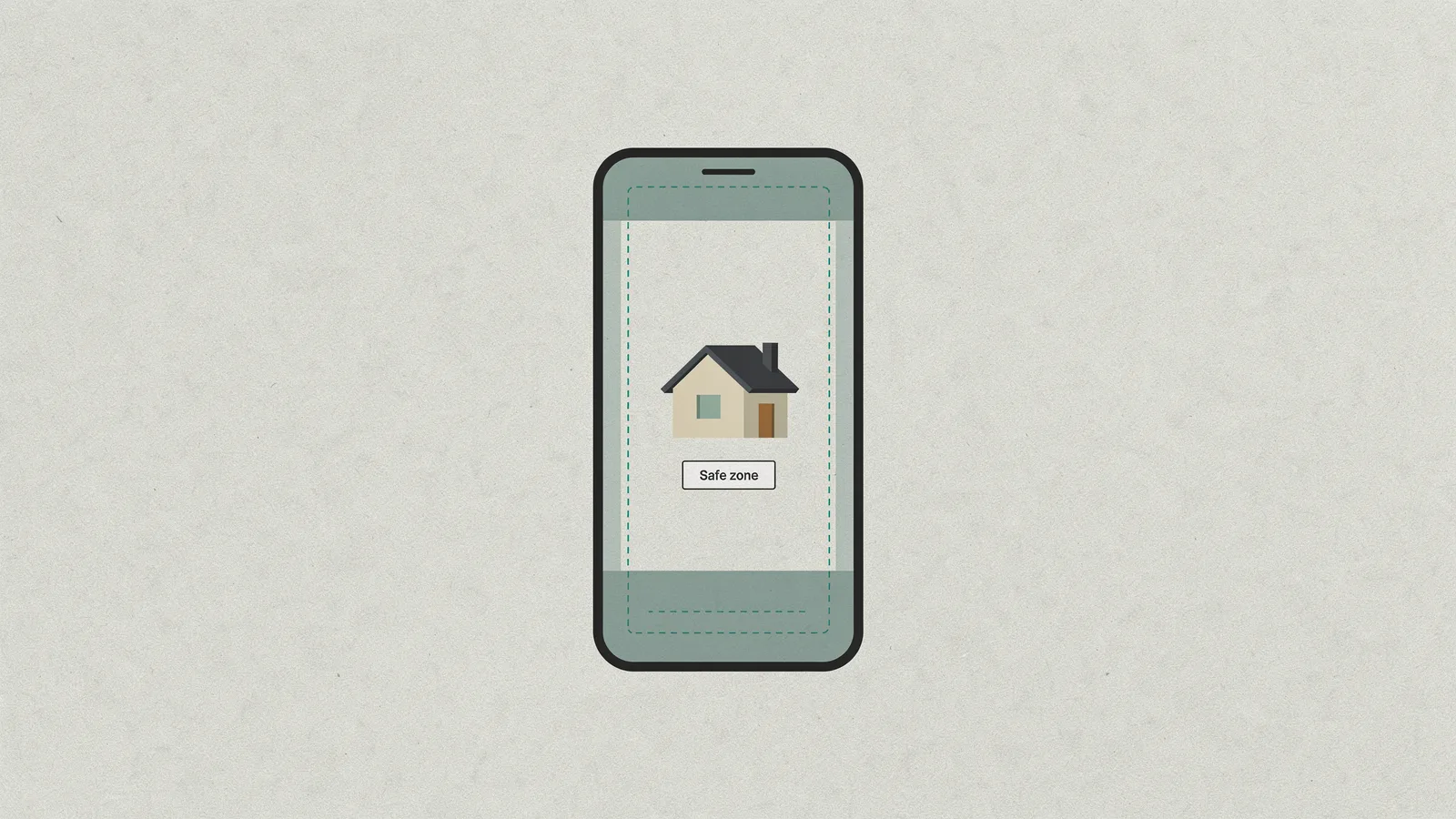
TikTok's video ad specifications say its safe zone varies with format and caption length. In our experience, text inside Meta's margins also clears TikTok and Shorts buttons.
What to put on screen
- First shot: street address and city.
- Second or third shot: price, then beds, baths and square feet.
- Open house: the day and time on the first shot, so nobody has to wait for it.
- Last shot: your agent card.
One idea per line, at least 2 seconds on screen, plain white sans-serif with a soft shadow. If you squint at it in the phone preview, it's too small.
Agent branding
Your closing card should carry your photo, name, brokerage, phone and logo. Article 12 of NAR's Code of Ethics requires Realtors to make their professional status readily apparent in ads, and states add rules. California, for example, requires your license number in electronic media ads you place that include your contact details, and the DRE regulation names streaming video specifically.
What music can you use for real estate videos?
Promoting a listing is commercial use, and most in-app music isn't licensed for it.
- Instagram and Facebook: Meta's Music Guidelines prohibit using music for commercial or non-personal purposes without the appropriate licenses. Meta's own Sound Collection is licensed for commercial use, but only in content on Meta's products.
- TikTok: Business accounts only see the Commercial Music Library when they add a sound. It holds about 1 million tracks you can use in organic or paid TikTok content.
- CapCut: its materials license limits Ordinary Sounds to personal, non-commercial videos and clears Commercial Sounds for CapCut, TikTok and TikTok for Business only, not Instagram or YouTube.
- YouTube Shorts: a Short longer than one minute with an active Content ID claim is blocked worldwide (YouTube Help).
- Paid music libraries: subscription libraries can cover every platform, but read the tier. Epidemic Sound, for example, says ad campaigns need its Pro or Enterprise plan (Epidemic Sound pricing).
That's why trending sounds usually aren't available, or safe, on a business account. If you post one export everywhere, its music must be licensed everywhere.
Best music for real estate videos
- Tempo: 90 to 120 BPM fits most listings and lands your cuts in the 2 to 4 second range.
- Instrumental: lyrics compete with your on-screen text.
- Match the house: acoustic guitar for a farmhouse, light electronic for a city condo, piano or strings for luxury.
- Start strong: skip long intros and begin the track where it already has energy, so the first cut lands on a beat.
- End clean: fade the last 1 to 2 seconds under your agent card instead of cutting the music off.
What export settings should you use for each platform?
Export one vertical master, then make the square and wide versions. Match the frame rate you shot or rendered at; YouTube's recommended upload encoding settings say to upload at the frame rate the content was recorded.
| Platform | Aspect ratio | Resolution | Codec and bitrate | Platform notes |
|---|---|---|---|---|
| Instagram Reels | 9:16 | 1080 x 1920 (Meta recommends 1440 x 2560 for Reels ads) | H.264, fixed frame rate, AAC audio at 128 kbps or more | Reels ads: MP4 or MOV, up to 15 min, 4 GB |
| TikTok | 9:16 | 1080 x 1920 (ads accept 540 x 960 and up) | MP4 or MOV | In-feed ads: up to 10 min, 500 MB, 516 kbps or more |
| YouTube Shorts | 9:16 or 1:1 | 1080 x 1920 | H.264 MP4, 8 Mbps at 24 to 30 fps | Square or vertical up to 3 min counts as a Short |
| YouTube and your website | 16:9 | 1920 x 1080 | H.264 MP4, 8 Mbps at 24 to 30 fps, 12 Mbps at 48 to 60 fps | AAC-LC audio, 48 kHz |
Sources are linked in the sections above. A few practical notes:
- Bitrate for Reels and TikTok: neither publishes an organic target. We use YouTube's 8 to 12 Mbps for 1080p, which holds up after the apps recompress.
- Frame rate: 24 or 30 fps for everything. A photo-based video gains nothing from 60 fps.
- Running ads: our guide to real estate Facebook ads with listing videos covers formats and placements for paid posts.
Which real estate video editor should you use?
Whether you're shopping for a real estate video app or full real estate video software, there are three routes: edit it yourself, hire an editor, or use a listing video tool. Prices are as of October 2026.
| Option | Best for | Cost | Trade-off |
|---|---|---|---|
| CapCut | Fast vertical edits on a phone | Free version; Pro $19.99 a month (CapCut) | Check the music license on every track |
| Canva | Real estate video templates and simple posts | Free plan with basic video editing; Pro is paid (Style Factory) | Less control over pacing and color |
| DaVinci Resolve | Full control and color grading | Free version; Studio $295 (Blackmagic Design) | Steeper learning curve |
| Premiere Pro | Editors already using Adobe tools | Adobe subscription | Steeper learning curve and ongoing cost |
| Freelance editor | Custom edits of shot footage | $20 to $40 an hour junior, $40 to $75 mid-level (goLance) | Briefing, revisions and wait time |
| Editing subscription | A steady flow of shot footage | From $389 a month at Kapibara Social, 2 to 3 day turnaround under 90 seconds | Monthly commitment |
| Listing video tool | Everyday listings built from photos | Monthly plans | Less creative control than a full editor |
Hire an editor or videographer for real footage, a narrated walkthrough or a luxury listing that deserves a custom cut. Our real estate videography guide covers shoot costs. If you'll be recording a voiceover, a script helps; FrameSurfer's video script examples include one for a real estate tour.
For everyday listings built from photos, a listing video tool is the fastest route. In VidListings, you paste the listing link, pick and reorder the photos, choose music, check the listing and agent cards, and export 9:16, 1:1 or 16:9. Each photo gets a scene of about 3 seconds with a slow camera move and hard cuts, and the video is ready a few minutes after export. What it doesn't do: no voiceover, no captions or subtitles, no auto-posting, and it works from photos, not footage you shot.
The short version
- Pick 10 to 15 shots and put them in walk-through order, exterior first and last.
- Hold each shot 2 to 4 seconds and cut on the beat (one bar = 240 ÷ BPM).
- Match color and exposure, straighten verticals and stabilize lightly.
- Keep text inside the safe zone: 14% top, 35% bottom, 6% on each side.
- Use music licensed for business use on every platform you post to.
- Export a 1080 x 1920 H.264 master at 24 or 30 fps, then square and wide versions.
If most of your listings only need that photo-based version, VidListings (now in early access) turns a listing link into one, ready a few minutes after export. It's free to start.