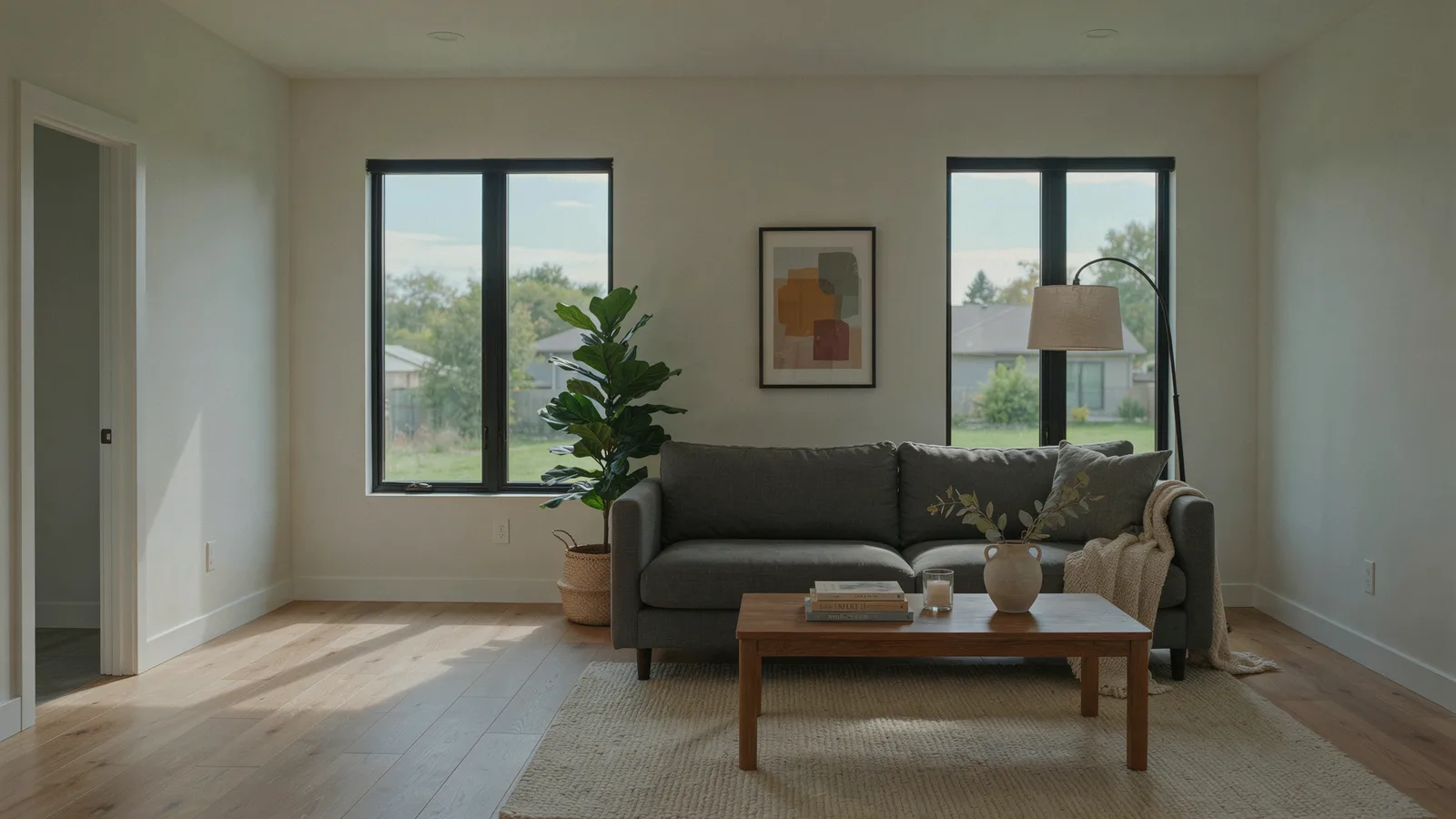
Free virtual staging is real, but it is almost always a trial. As of October 2026, dedicated AI staging tools give you typically one to five free photos, sometimes watermarked, before asking you to pay, while general AI editors like ChatGPT and Gemini are free to use with usage limits but need more checking. That covers a room or two. For a whole listing, plan on an AI starter plan at about $14 to $25 a month, or a designer at roughly $16 to $49 per photo.
Below is what each free tier really includes, what to check before a staged photo goes live, and when paying makes sense.
VidListings makes a listing video tool with an optional AI photo edit, mentioned below. We've tried to keep this guide useful whether or not you use it.
What does free virtual staging actually mean?
Free virtual staging software rarely means free for a listing's worth of photos. Before you upload, check five things:
- How many images. Most free tiers are a handful of credits: five designs at REimagineHome, three photos at ListReadily, one image at Apply Design and BoxBrownie.
- Watermarks. Collov's free trial images carry a watermark. Gemini adds a visible sparkle unless you turn it off in settings.
- Resolution. Better output is often a paid feature. REimagineHome's cheapest plan, for example, excludes its high-resolution, next-gen model.
- Commercial use. Collov lists a "commercial photo license" as a paid-plan feature. Read the terms before a trial image goes into an ad.
- Card and sign-up. REimagineHome, InstantDeco, ListReadily and BoxBrownie say no card is needed for the trial. Virtual Staging AI lets you upload a photo without signing up.
Virtual staging free tiers compared (October 2026)
We checked each tool's own pricing page. Prices and free allowances change often, so treat this as a snapshot.
| Tool | Type | What's free | The catch | Paid from |
|---|---|---|---|---|
| REimagineHome | AI | 5 designs, no card | Higher-resolution model is on Pro and up | $19/month (30 credits) |
| Virtual Staging AI | AI | Upload a photo free, no sign-up or card | Free-trial limits not stated | $25/month for 6 photos, or $16/month billed yearly |
| Collov AI | AI | 5 trial images | Watermarked | $19/month billed yearly (60 credits) |
| InstantDeco | AI | Free trial, no card | Trial size not stated | $14/month for 8 photos |
| Apply Design | AI one-click or DIY editor | First image | One image only | $7 to $10 per coin (1 coin per DIY photo, 1.5 per one-click) |
| ListReadily | AI | First 3 photos, no card | Downloads are labeled "Virtually Staged" (useful for disclosure) | 10 credits for $5 |
| BoxBrownie | Human designers | 1 staging edit for new accounts, no card | One image only | US$30 per image |
| ChatGPT | General AI image editor | Image creation on the free tier | Separate usage limits, no staging controls | Paid plans raise limits |
| Gemini | General AI image editor | Image editing without a paid plan | Usage limits; invisible SynthID mark stays even with the visible one off | Google AI plans raise limits |
Two notes. The visible Gemini watermark setting is not available in India, South Korea or Vietnam without an AI Ultra plan. And ListReadily's label is a feature, not a flaw: you need that label anyway.
Which is the best virtual staging software for you?
There is no single best virtual staging software. The right pick depends on how many rooms you have and how much checking you're willing to do.
One or two rooms: use a free tier
A vacant spare bedroom in an otherwise furnished house is the perfect free job. Run the photo through two free tiers, keep the better result, and you're done.
A whole vacant listing: one month of an AI plan
Five to eight rooms will burn through any free tier. A starter plan for one month (InstantDeco at $14 for 8 photos, Virtual Staging AI at $25 for 6) is cheaper than a single designer image at some services. Cancel when the listing is done.
Luxury, open plan or awkward angles: a human designer
In our experience, AI struggles most with open floor plans and photos shot from unusual angles. Designers charge more (Styldod lists $16 to $23 per image with unlimited revisions and a 24 to 48 hour turnaround), but they fix what you point out.
Already making a listing video: stage inside the video tool
Most staging tools stop at the photo. VidListings is a listing video tool, not a free standalone staging app, but it includes an AI edit called Restage. You type a short instruction (furnish an empty room, declutter, blue sky), review the edited photo, and choose whether to use it. If you do, it goes straight into the video. The edit asks the model to keep the same walls, windows, floor and camera angle, and you should still check it.
Looking for a virtual staging app for your phone? The tools above are web-based, so they open in a phone browser, and InstantDeco says it works on mobile and web. For the wider toolkit, see our roundup of AI tools for real estate agents.
Can you use ChatGPT or Gemini for AI virtual staging?
Yes. Both edit an uploaded photo on their free tiers. The difference from dedicated tools is control. A staging app has room types, styles and a "keep the architecture" step built in. A general chatbot does whatever your sentence says, and it may redraw the whole frame.
A prompt that works better than "stage this room":
Furnish this empty living room for a young family: a light gray three-seat sofa facing the window, a round wool rug, a walnut coffee table, a floor lamp in the left corner and one large plant. Keep the walls, windows, doors, floor, ceiling, outlets and camera angle exactly as they are. Photorealistic real estate listing photo.
Two lessons from building our own AI photo edit:
- Say what to keep, not what to avoid. Image models sometimes add the very thing a prompt tells them to leave out.
- Name four to six pieces. Vague prompts produce cluttered rooms with odd furniture.
The quality traps of AI virtual staging, and how to check
Every AI-staged photo needs a side-by-side check with the original. Open both at the same size and flip between them. These are the common problems:
| Trap | What it looks like | How to check |
|---|---|---|
| Warped windows | Window grids bend, a window grows, or a new one appears | Count the panes in both photos |
| Changed floors or walls | Wood turns to tile, carpet changes color, paint shifts, baseboards vanish | Zoom to 200% on one corner of each photo |
| Invented fixtures | A pendant light, ceiling fan, fireplace or built-in shelf that isn't there | List the fixtures in the original, then tick each one off |
| Wrong scale | A tiny sofa makes the room look bigger, or the bed blocks a door | Compare each piece to the door height |
| Changed view | New trees, a better sky, a missing neighbor's house | Look through every window |
| Floating furniture | Legs hover above the floor, shadows point toward the window | Check where the light comes from |
| Blocked features | Furniture over vents, outlets, radiators or closet doors | Compare wall by wall |
If any permanent feature changed, regenerate or throw the image away. A staged photo that misrepresents the house breaks MLS rules and, in California, state law.
A free AI virtual staging workflow, step by step
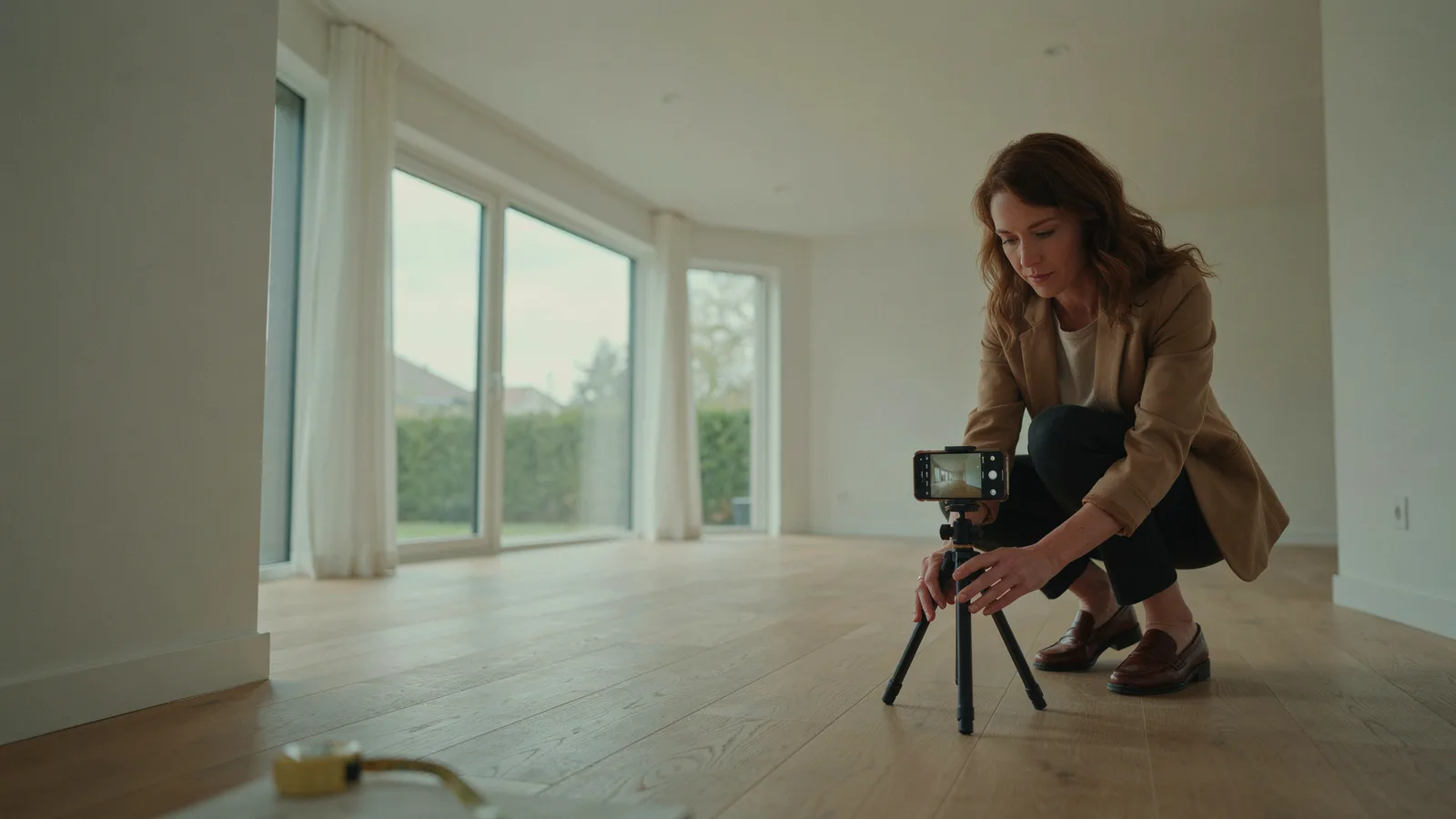
- Shoot the empty room well. Lights on, blinds open, camera level at chest height, wide but not fisheye. Shoot from a corner so two walls and the floor area show.
- Pick one angle per room. Choose the shot that shows the most floor. That is where the furniture goes.
- Write a specific prompt. Room type, buyer, style, four to six pieces, and the keep list from the prompt above.
- Generate two to four versions. Pick the one with the fewest changes, not the prettiest sofa.
- Run the trap check. Use the table above. Reject anything that touched windows, floors, walls or the view.
- Label it. Put "Virtually staged" in the file name and the photo description.
- Keep the original next to it. Save pairs with matching names, such as living-room-original.jpg and living-room-staged.jpg, so they stay together in the MLS, on your site and in posts.
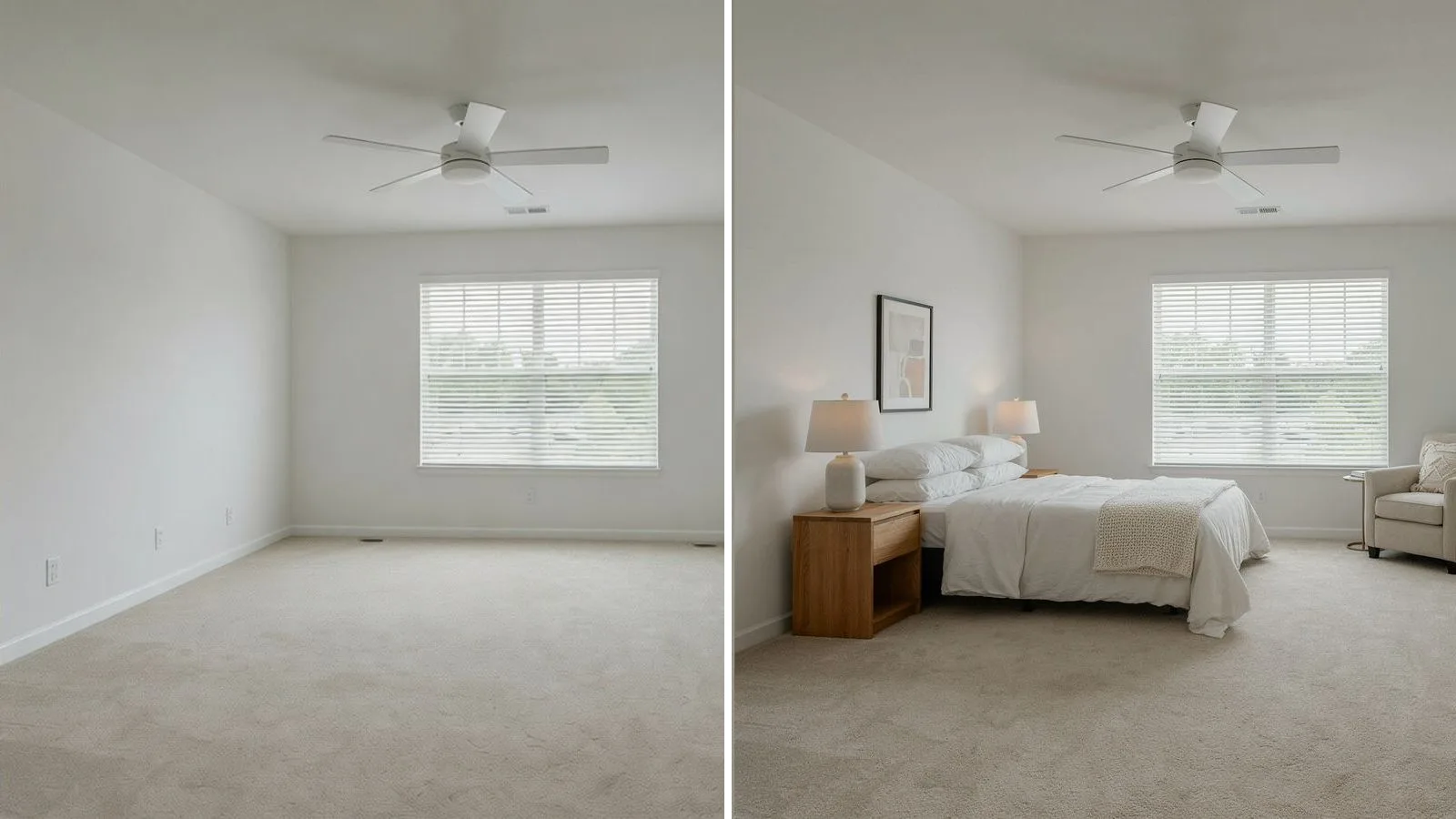
The pair is also content. A before-and-after reveal makes a strong Reel or carousel, and our listing video playbook covers how to post it. If you turn the photos into a video, keep the rest of the house real; our guide to AI real estate videos explains why.
When is free virtual home staging enough, and when should you pay?
| Situation | Free tier | Pay |
|---|---|---|
| One empty room in a furnished home | Yes | Not needed |
| Trying styles before you commit | Yes | Not needed |
| A full vacant listing (5 or more rooms) | Not enough credits | One month of an AI plan |
| Ads and print | Only if the license and watermark allow it | A paid plan with commercial use |
| Open plan, odd angles, luxury listing | Risky | A human designer with revisions |
| Furnished rooms that need clearing first | Hit or miss | Item removal (BoxBrownie lists US$10 per image) |
Do you still need to disclose AI virtual staging?
Using AI doesn't change the rules. California's AB 723 explicitly covers images altered with "artificial intelligence," and CRMLS says AI-altered images count as digitally altered. Label every staged photo, keep the original beside it, and never change permanent features.
For the full rules (NAR's Article 12, MLS photo rules and what AB 723 requires), read our guide to virtual staging costs and disclosure rules.
The short version
- Free virtual staging means a trial: usually one to five photos, sometimes watermarked.
- ChatGPT and Gemini work on free tiers but need more checking.
- For a full vacant listing, one month of an AI plan ($14 to $25 as of October 2026) beats chasing free credits.
- Check every staged photo against the original for windows, floors, fixtures, scale and views.
- Label it "Virtually staged," keep the original next to it, and follow your MLS rules.
If the staged photo is headed for a listing video, VidListings lets you make that edit and the video in one place. It's free to start.